
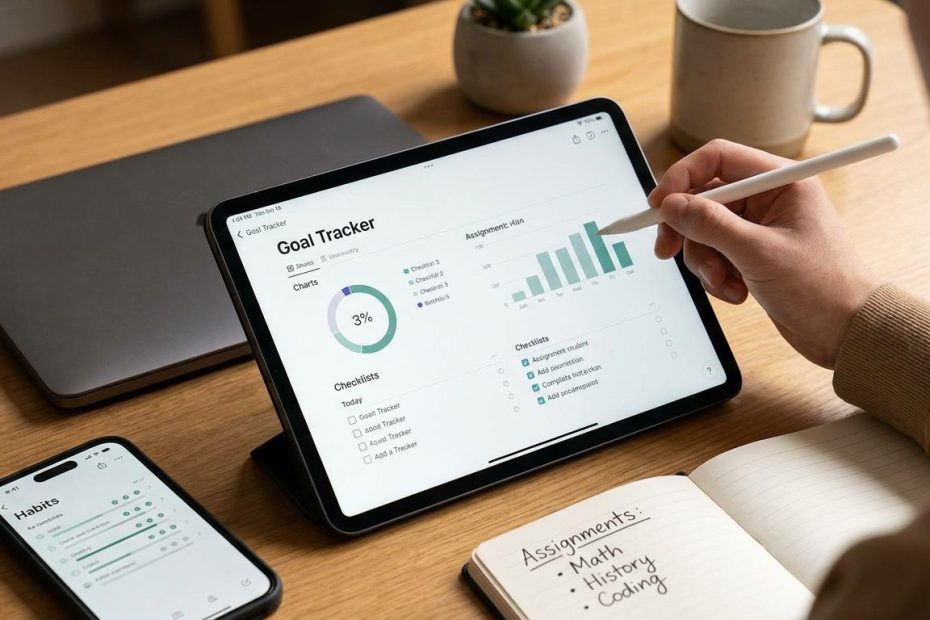
The best goal-setting and progress tracking apps for student achievement don’t all do the same job. If you want better grades, steadier study habits, cleaner planning, and visible progress, you need to match the app to the way you actually work, not the way you wish you worked.
You’re about to sort through the noise fast. This guide breaks down the strongest options for personal planning, habit building, focus control, classroom communication, and formal progress reporting, so you can pick the right tool for your workload, your school level, and your follow-through style.
Best Overall: Notion For Building A Full Academic System
If you want one place for goals, assignment tracking, notes, study plans, project work, and weekly reviews, Notion is still one of the strongest options available. It works well when your academic life is bigger than a checklist. You can build dashboards for each course, connect long-term grade targets to weekly tasks, and keep reflections, revision plans, and reading notes in the same workspace.
This is the app for students who like structure and want visibility. You can create a semester planner, a database of assignments, a study tracker, and a progress board that shows what’s done, what’s late, and what still needs attention. If you work on research papers, group projects, or multi-step exam prep, that flexibility gives you room to connect the dots instead of scattering your work across five apps.
There’s a catch, and it matters. Notion asks you to set things up. If you’re the kind of student who opens a blank page and closes the app ten seconds later, it can become another unfinished project. You’ll get the most from it when you start with a student template, keep the design simple, and use it as a planning hub rather than a decorative workspace.
Notion is also a smart value pick for many college and university students because the company offers an Education Plus plan for eligible individual students using a school email, which gives you Plus-level features in a one-member workspace. That makes it more attractive if you want unlimited pages, file uploads, and better version history without adding another monthly charge.
Best For Daily Execution: TickTick For Assignments, Habits, And Study Sessions
If your main problem isn’t setting goals but actually doing the work on time, TickTick deserves serious attention. It combines task management, reminders, calendar planning, habit tracking, and a built-in Pomodoro timer in one app. That matters more than people admit. Students usually stop updating progress trackers when they’re forced to jump between separate tools for deadlines, routines, and focus sessions.
TickTick is strong because it cuts friction. You can add tasks fast, sort them into lists, set recurring reminders, view your workload on a calendar, and track habits alongside your assignments. The app also includes focus timing and statistics, which means you can measure not just whether you finished work, but how much focused time you actually spent. That’s a better performance signal for exam prep, writing assignments, and reading-heavy courses.
From a practical student standpoint, TickTick is easier to adopt than Notion. You don’t need to design a system before it becomes useful. You open it, enter deadlines, block study time, create daily habits, and move. That’s why it fits students with packed schedules, part-time jobs, or weak consistency. The app also offers an education discount on Premium, which helps if you want expanded calendar and filtering features without paying full price.
If you want the shortest path from intention to action, TickTick is one of the best all-in-one choices on the market right now. It’s less customizable than Notion, but it’s faster, lighter, and easier to maintain through the middle of a demanding semester.
Best For Beating Phone Distraction: Forest For Focused Study Time
Forest is one of the clearest tools for students who lose hours to their phones without meaning to. The idea is simple: you start a focus session, a virtual tree grows, and if you leave to check distracting apps during a strict session, you ruin the tree. That visible consequence sounds small, but it works because it makes distraction feel immediate instead of abstract.
The reason Forest fits student achievement is that many academic goals fail long before the gradebook updates. You don’t miss the result first, you miss the study block. Forest helps you protect the minutes that produce the result. The app includes focus sessions, app blocking, group focus with friends, screen-time controls, and focus analytics, so you can track how many sessions you completed and where your concentration breaks down.
It also has a free tier that’s useful, which isn’t always the case with focus apps. Core focus features are available without requiring payment, and optional upgrades unlock more analytics, custom allowlists, extra tree content, and an ad-free experience. If you want a tool that turns “I should study” into “I studied for forty-five clean minutes with no phone drift,” Forest does that job well.
This is not the best choice for assignment management or detailed planning. It’s a focus tool first. Pair it with a planner if you need deadline control. Still, if your biggest academic leak is distraction, Forest can give you immediate gains with very little setup.
Best For Motivation Through Gamification: Habitica For Students Who Need Engagement
Habitica takes your tasks and habits and turns them into a role-playing game. You earn rewards, level up, collect gear, and use social accountability through parties, quests, and shared challenges. If a standard planner feels lifeless and easy to ignore, that kind of game structure can keep you engaged longer than a plain checklist ever will.
The app works well when your goals are repetitive and behavior-based. Daily reading, completing practice problems, reviewing flashcards, packing your bag the night before, and showing up for a study sprint all translate neatly into the system. It also supports task completion on mobile devices, which helps if you need quick logging between classes or while commuting.
This app is not for every student. Some people love the progress mechanics and social pressure. Others burn out on the maintenance and start treating the app like another performance burden. If you enjoy streaks, quests, and visible rewards, Habitica can make goal tracking feel less flat. If you want low-friction planning, you’ll probably prefer TickTick or a simpler habit tool.
Use Habitica when motivation is your weak point, not when complexity already is. It can help you stay engaged, but only if the game layer energizes you instead of draining you.
Best For K Through 12 Family Visibility: ClassDojo For Classroom Goal Progress
When student achievement depends on communication between school and home, ClassDojo stands out as a classroom-centered option. It is built around teacher, family, and student connection, with messaging, stories, portfolios, and classroom tools in one platform. That makes it more than a behavior app. In many schools, it becomes the main channel for updates, shared work, and progress visibility.
For younger students, that family visibility changes the tracking equation. A student may not reliably log goals or reflect on progress alone, but teachers and families can keep the loop active through shared updates, portfolio posts, and direct communication. ClassDojo also supports automatic translation across many languages, which can remove one of the biggest barriers in family engagement.
The platform is strongest when the goal is consistency across classroom communication, evidence of student work, and school-home support. Parents can see approved portfolio work, class updates, and teacher communication inside the same environment. Teachers stay in control of what is shared, which helps keep the flow organized and appropriate for school use.
This is not the app you choose for a college student managing independent deadlines. It’s a school community tool. If you’re writing for K through 12 educators, school leaders, or families, it belongs near the top of the list. If you’re writing for self-managing teens and college students, it belongs in a separate category.
Best For Tutors, Intervention Teams, And Formal Growth Reporting: Sperro
Sperro serves a different purpose from personal productivity apps. It is built for structured goal tracking, repeated measurement, and professional reporting across tutoring, coaching, school programs, and special education workflows. If you need to document growth, collect data consistently, and generate reports for families or program leaders, Sperro is built for that job.
What makes it useful is the reporting workflow. You can define goals, set mastery criteria, enter data from any device, upload notes or work samples, and generate reports with graphs and summaries. It also supports parent view-only dashboards, team collaboration, customizable curriculum or goal banks, and progress tracking across academic, developmental, social, emotional, and behavioral targets.
That makes Sperro a strong fit when “student achievement” means more than staying organized. If you run a tutoring center, intervention program, private school, or goal-based support service, you need records that show measurable change over time. A standard task app can’t handle that well. Sperro can.
It’s worth separating this category from student self-management. A student choosing an app for chemistry homework is making a different decision than a tutor proving progress to families. Sperro is one of the better choices when accountability, documentation, and reporting matter as much as the learning activity itself.
How Do You Choose The Right App For Student Achievement?
You choose the right app by identifying what keeps breaking down in your system. If you forget assignments, you need deadline control. If you know the deadlines but don’t start, you need focus support. If you start but never measure consistency, you need habit tracking. If you manage many moving parts across courses, notes, and long-term projects, you need a full planning workspace.
Start with your bottleneck, not the app store ranking. Students often download the most flexible or most popular tool and then abandon it because it doesn’t solve the real problem. A student drowning in deadlines doesn’t need a beautiful dashboard first. A student stuck in phone distraction doesn’t need another planner. A tutor producing parent reports doesn’t need a streak counter.
You should also factor in maintenance cost. The best app is the one you’ll still use in week eight, not the one that looks perfect in week one. Low-friction logging, simple views, quick input, and clear progress signals usually beat feature bloat. If a tool needs too many taps, too much customization, or too much daily guilt, you’ll stop using it.
A good shortlist looks like this: Notion for full academic systems, TickTick for daily planning and habits, Forest for distraction control, Habitica for motivation through game mechanics, ClassDojo for K through 12 communication and portfolios, and Sperro for structured educational progress reporting. That’s the practical split.
What Features Matter Most In A Goal-Setting App For Students?
The best student apps share a few features that directly affect follow-through. Fast task capture matters because delayed entry leads to missed work. Calendar visibility matters because students need to see collisions, not just lists. Habit or routine tracking matters because grades usually improve through repeated behaviors, not one-time bursts of effort.
Progress visibility is another big one. You need to see what changed over time, whether that’s completed assignments, hours studied, streaks kept, or mastery levels reached. If the app only stores tasks but never shows patterns, it becomes a digital pile instead of a performance tool. Analytics don’t need to be fancy, but they do need to show whether your actions match your goals.
Cross-platform access helps more than people think. Students move between phone, laptop, tablet, and browser all day. If the app works only in one place, usage drops. Shared access can matter too, especially for group work, tutors, teachers, or family-supported plans.
You should also pay attention to pricing structure. Free plans that are actually usable tend to stick. Apps that lock basic student needs behind subscriptions lose momentum fast. That’s one reason tools like Notion, Forest, and ClassDojo get traction in education settings, and why discounts or student offers can shift the value equation.
What Mistakes Do Students Make When Using Goal-Tracking Apps?
The biggest mistake is building a system that feels impressive instead of usable. Students create color-coded dashboards, twenty custom tags, and six categories of study metrics, then stop updating everything after a week. A tracking app should reduce mental load, not add another layer of admin work to your day.
The second mistake is tracking too much. You don’t need to log every page read, every quiz attempt, every water bottle refill, and every study mood rating. Pick a few measures tied directly to results: assignments completed, study sessions finished, habits maintained, grades reviewed, goals updated. Keep it tight.
Another common mistake is separating planning from execution. If your planner lives in one app, your focus timer in another, your habit tracker somewhere else, and your notes in a fourth place, one of those systems will get ignored. That’s why integrated tools often outperform specialized tools in real student life. Less switching usually means better follow-through.
One more issue: students ignore review. Tracking without reviewing is just archiving. You need a short weekly check-in to see what slipped, what improved, and what needs to change. Without that, even a great app turns passive.
Which App Is Best For Different Student Types?
If you’re a college or university student managing multiple classes, papers, deadlines, and self-directed study, Notion or TickTick will usually give you the best return. Notion is stronger for students who want one academic control center. TickTick is stronger for students who need speed, reminders, and habit execution.
If you’re a student who keeps reaching for your phone mid-study, Forest is the better pick. It protects your study block instead of just organizing your intentions. If your issue is staying motivated by routines, Habitica can keep you engaged longer than a standard to-do list.
If you’re a teacher, parent, or school leader focused on younger students, ClassDojo fits the job better because it connects progress, communication, and visibility for families. If you’re in tutoring, intervention, coaching, or goal-based reporting, Sperro gives you the reporting and documentation structure that generic student apps don’t provide.
That’s the real answer most rankings miss: there isn’t one universal winner. There’s a best fit for the type of achievement you’re trying to drive, and that distinction saves you time, money, and dropout risk.
What is The Best Student App For My Specific Achievement Goal?
- Best overall: Notion for full academic planning.
- Best for daily tasks: TickTick for assignments, habits, and calendar control.
- Best for focus: Forest for phone distraction and study sessions.
- Best for motivation: Habitica for gamified habit tracking.
- Best for schools: ClassDojo for family-visible classroom progress.
- Best for reporting: Sperro for tutors, schools, and structured growth data.
Put The Right App To Work And Make Progress Visible
You don’t need more productivity theory. You need an app that matches the way you study, the kind of support you need, and the level of tracking your goals actually require. If you want a complete academic hub, use Notion. If you need execution and reminders, use TickTick. If distraction keeps wrecking your study time, use Forest. If motivation fades fast, Habitica can keep you engaged, and if your work depends on school-home communication or formal progress reports, ClassDojo and Sperro are the better fit. Pick one tool based on your real bottleneck, use it for a full study cycle, review your results weekly, and your progress stops being vague and starts becoming measurable.
References:
- https://www.notion.com/product/notion-for-education
- https://www.notion.com/pricing
- https://ticktick.com/features?language=fr
- https://ticktick.com/upgrade
- https://help.ticktick.com/articles/7055781420970541056
- https://help.ticktick.com/
- https://www.forestapp.cc/
- https://forestapp.cc/?type=standard
- https://habitica.com/static/features
- https://www.classdojo.com/
- https://www.classdojo.com/en-gb/studentstories/?redirect=true
- https://help.classdojo.com/hc/en-us/articles/4413208601357-What-are-ClassDojo-s-Collaboration-Features
- https://www.sperro.co/
- https://www.sperro.co/features
- https://www.sperro.co/schools
- https://www.sperro.co/tutoring-coaching

Michael E Weintraub is an attorney and founder of the Law Office of Michael E. Weintraub, LLC in Neptune, NJ. With over 25 years of experience in trials, estate planning, and estate administration, he is known for delivering client-focused legal solutions with integrity and precision.