
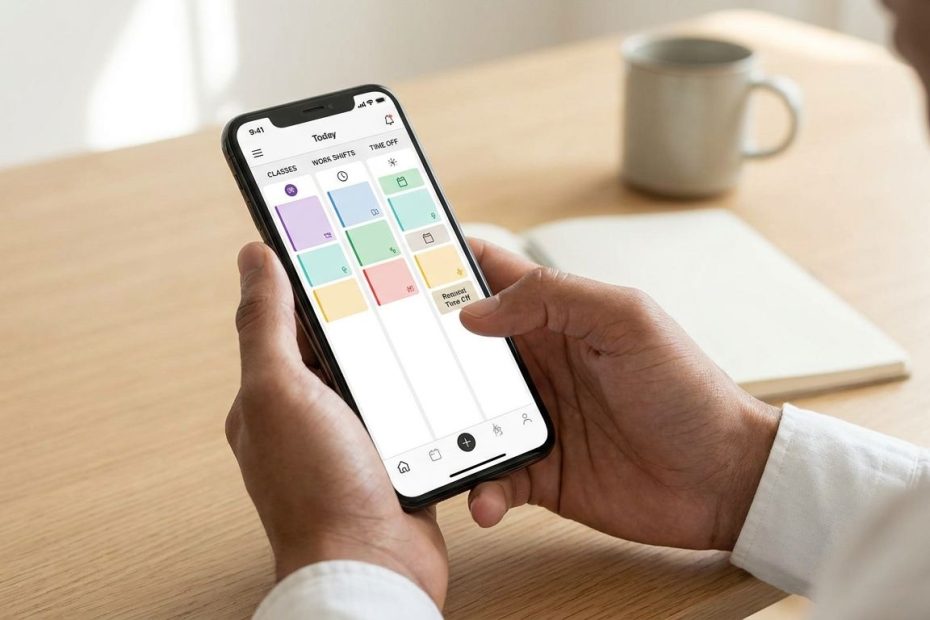
The best flex scheduling software for students is a mobile-first student scheduling app that lets you enter class availability, swap shifts, request time off, and get instant schedule updates before conflicts hit your week.
If your work schedule keeps colliding with classes, labs, exams, sports, study groups, or campus events, the right scheduling tool can reduce the back-and-forth that wastes your time. This article breaks down what to look for, which software options fit student-heavy teams, and how to ask your manager for a better system without sounding difficult.
The College Student’s Scheduling Nightmare And How To Fix It
A bad work schedule doesn’t just make your week annoying. It can cut into sleep, shrink study time, and force you to choose between earning money and showing up prepared for school. If you’re checking a paper schedule in the break room, waiting for group chat replies, or texting three coworkers to cover one shift, the system is doing too much work the hard way.
Flex scheduling software helps by putting availability, shift changes, time-off requests, and team messages in one place. Instead of asking your manager to remember your Monday lab or your Friday game, you enter those limits directly into the app. The goal isn’t to avoid work. The goal is to make your part-time job fit around the academic schedule you already committed to.
What Is Flex Scheduling And Why Do Students Need It?
Flex scheduling means your work schedule can account for changing availability, shift trades, time-off needs, and short-notice updates without relying on paper notes or scattered messages. For students, that matters because your school schedule is rarely as simple as “free after 3.”
High school students may deal with sports practices, club meetings, family transportation, tutoring, and early curfews. College students may have lecture blocks, labs, office hours, group projects, internships, campus jobs, and exams that land outside normal class times. A student scheduling app gives you a cleaner way to share that availability before a manager builds the schedule.
Good flex scheduling software also protects managers from messy communication. When availability is stored in the system, the manager can see who’s free, who requested time off, and which shifts need coverage. That makes it easier to build a schedule that works for the business without guessing which student can close on a school night.
5 Must-Have Features For Student-Friendly Scheduling Apps
A scheduling app can look polished and still fail student workers if it doesn’t handle the basics. You need features that help you prevent conflicts, respond fast, and keep proof of what you requested. A clean calendar view is helpful, but it’s only one part of the decision.
The strongest student-friendly tools share a few practical traits. They work well on mobile, make availability easy to update, and give managers a clear record of requests. They also reduce the awkward “Can anyone cover me?” scramble by making shift trades easier to manage.
- Availability Settings: You should be able to block class times, labs, sports, and recurring school commitments.
- Shift Swapping: You need a fast way to offer, trade, pick up, or drop eligible shifts.
- Mobile Notifications: You should know when a schedule changes, a request is approved, or a shift opens.
- Time-Off Requests: Exam weeks, school events, and travel plans should be easy to submit and track.
- Team Messaging: Work communication should stay separate from random personal group chats.
Cost also matters. Many student workers aren’t choosing software for the whole business, but you can still point your manager toward tools with free plans, employee access, or low-cost options. If a tool helps reduce missed shifts and schedule confusion, it becomes easier to justify.
Best Student Scheduling App Options For School And Work
The best flex scheduling software depends on where you work, how large the team is, and how often schedules change. A restaurant team needs fast shift coverage. A campus event staff may need fair shift distribution across a large group. A small local shop may care most about free scheduling, time tracking, and simple messages.
Use the options below as a shortlist, not a fixed ranking. Each tool has a different strength, and the right choice depends on whether you’re a student worker, a student manager, or someone trying to convince a small business owner to upgrade from paper schedules.
Homebase: Good Fit For One-Location Teams
Homebase is a strong fit for small businesses that want scheduling, time tracking, and team messaging in one place. Its free plan includes scheduling, time tracking, and messaging for unlimited employees at one location, which can make it easier for a small employer to test without a large upfront cost.
For students, the appeal is simple: one app can hold the schedule and workplace communication. If your job currently uses a printed schedule, sticky notes, and scattered texts, Homebase can reduce confusion. It’s a practical option for cafes, small retailers, local service businesses, and other one-location teams with student workers.
When I Work: Good Fit For Retail, Food Service, And Hospitality
When I Work is commonly used in retail, food service, and hospitality settings, which are common industries for high school and college employees. Its mobile app supports shift claiming, shift swapping, and availability management, which are the exact controls students usually need.
This tool works well when schedules move fast and managers need staff to respond from their phones. If you’re balancing class blocks with evening and weekend shifts, availability controls can help prevent repeat conflicts. Shift claiming and swapping can also make it easier to pick up extra hours when your school week opens up.
Deputy: Good Fit For Auto-Scheduling And Availability Blocks
Deputy offers Artificial Intelligence (AI)-powered auto-scheduling, a drag-and-drop interface, and availability and time-off features. Staff can block times when they can’t work, including class periods, which makes it useful for teams with many students and rotating availability.
Deputy can be a good fit when a manager builds schedules across many employees and needs a faster way to compare availability. For student workers, the biggest benefit is the ability to record unavailable times before the schedule gets built. That gives your manager less room to miss a class conflict by accident.
Sling: Good Fit For Free Basic Scheduling
Sling offers a free version with basic scheduling, shift swapping, and time-off requests. That makes it appealing for students and small teams that need a low-barrier way to move away from paper schedules or messy text threads.
Sling is especially useful when your main needs are simple: see the schedule, request time off, and swap shifts when school demands change. If your workplace doesn’t need advanced forecasting or payroll features, a basic scheduling setup may be enough. The easier it is to start, the easier it is to get a manager to say yes.
7shifts: Good Fit For Restaurant Teams
7shifts is built for restaurants, which makes it relevant for many students working as hosts, servers, bussers, baristas, cooks, and counter staff. Its Shift Pool feature helps employees pick up or drop shifts through a more organized process.
Restaurant schedules can change quickly, especially when staff availability changes, reservations shift, or someone calls out. A tool built for that environment can reduce the last-minute scramble. If your school schedule changes week to week, having a cleaner shift trade process can make the job easier to manage.
Shiftboard: Good Fit For Large Campus And Event Teams
Shiftboard is built for large and complex scheduling needs, including venues, universities, and event staff. It supports complex availability rules and fairer shift distribution, which can matter when many student workers are competing for hours.
This option is less likely to be the first choice for a tiny local shop. It makes more sense for large campus departments, event operations, athletics staffing, or university-affiliated work groups. If your job involves many workers across many shifts, Shiftboard can help managers handle availability without relying on manual tracking.
Side-By-Side Comparison: Pricing, Key Feature, And Best Fit
When you compare flex scheduling tools, focus on what affects your week: availability, swaps, reminders, messaging, and cost. Don’t get distracted by features your team won’t use. A student worker doesn’t need a complicated system if the real problem is that class times aren’t being respected.
Use this comparison as a quick decision aid. Plan details can change, so confirm current pricing and features on the software website before your workplace signs up. If you’re presenting options to a manager, bring two or three choices rather than a long list.
Student Scheduling Software Comparison
|
Software |
Key Student-Friendly Feature |
Good Fit |
Cost Note
|
|
Homebase |
Scheduling, time tracking, and messaging |
Small one-location businesses |
Free plan available for unlimited employees at one location |
|
When I Work |
Shift claiming, swapping, and availability management |
Retail, food service, and hospitality teams |
Check current plan details on the official site |
|
Deputy |
Availability blocks and AI-powered auto-scheduling |
Teams with many changing schedules |
Check current plan details on the official site |
|
Sling |
Basic scheduling, shift swapping, and time-off requests |
Students and small teams wanting a free option |
Free version available |
|
7shifts |
Shift Pool for picking up or dropping shifts |
Restaurants and food service teams |
Check current plan details on the official site |
|
Shiftboard |
Complex availability rules and fair shift distribution |
Universities, venues, and large event teams |
Check current plan details on the official site |
If you’re choosing as an employee, start with the tool your employer already uses. Learn the availability settings, notification settings, and shift trade rules before you assume the app can’t help. If your employer doesn’t use software yet, choose the option that solves the current pain first: cost, swaps, availability, or large-team scheduling.
How To Choose A Student Scheduling App Before Your Semester Starts
The best time to fix your work schedule is before your semester becomes crowded. Enter your class times, labs, commute windows, sports practices, and recurring commitments as soon as you know them. If your app allows notes, use short and specific language so your manager can understand the reason for the block.
Think in terms of work-ready time, not free time. A class that ends at 2:15 does not mean you can start work at 2:30 if you need to cross campus, change clothes, eat, or commute. Add buffer time around school commitments so your schedule reflects what you can actually do.
Review notification settings as well. Turn on alerts for schedule changes, approved requests, open shifts, and shift trade updates. A student scheduling app only helps if you see changes early enough to act.
How To Convince Your Boss To Try A Scheduling App Without Being A Nuisance
Your manager is more likely to listen when you connect the app to business problems, not only your personal frustration. Talk about fewer missed shifts, faster coverage, cleaner availability records, and less time spent answering schedule texts. Keep the request short and practical.
Bring a simple suggestion. You can say that the team is losing time through group chats and last-minute coverage requests, then mention one or two tools with free or simple options. If your workplace has many students, point out that class schedules change by semester, and a shared availability system would help managers plan earlier.
Don’t ask your manager to rebuild the whole process in one conversation. Ask whether the team can test a tool for one schedule period or one department. A short trial feels less risky, especially for a small business owner who already has too much admin work.
Common Scheduling Mistakes Students Make And Quick Fixes
One common mistake is entering only your class start and end times. That leaves out commute time, meals, study blocks, office hours, and recovery after late shifts. Fix it by building availability around your real week, not the version that looks clean on paper.
Another mistake is waiting too long to request changes. If you know an exam, game, lab, or family event is coming, submit the request early and keep the proof inside the app. Managers can’t always approve every request, but early notice gives them more room to adjust the schedule.
Students also ignore shift trade rules until they need a trade fast. Learn whether your workplace requires manager approval, coworker confirmation, or certain role matches before a swap becomes official. That small detail can save you from assuming a shift is covered when the app still lists you as responsible.
What Features Should Students Look For In Scheduling Software?
- Easy shift swapping with coworkers
- Mobile app access
- Class-time availability settings
- Instant schedule alerts
- Free or low-cost employee access
Make Your Schedule Work Like A Study Tool
A part-time job should support your school life, not wreck it every week. The right student scheduling app gives you a better way to share availability, trade shifts, receive updates, and protect time for classes and exams. Managers benefit too, since cleaner scheduling reduces confusion and last-minute messages. Start by fixing the biggest pain point, whether that’s shift swaps, availability blocks, or a free tool your employer can test. When your schedule becomes easier to manage, you get more control over your time without walking away from the income you need.
References
- Capterra Employee Scheduling Software Category
- G2 Employee Scheduling Category
- Homebase Official Site
- When I Work Official Site
- Deputy Official Site
- Sling Official Site
- 7shifts Official Site
- Shiftboard Official Site.

Michael E Weintraub is an attorney and founder of the Law Office of Michael E. Weintraub, LLC in Neptune, NJ. With over 25 years of experience in trials, estate planning, and estate administration, he is known for delivering client-focused legal solutions with integrity and precision.