
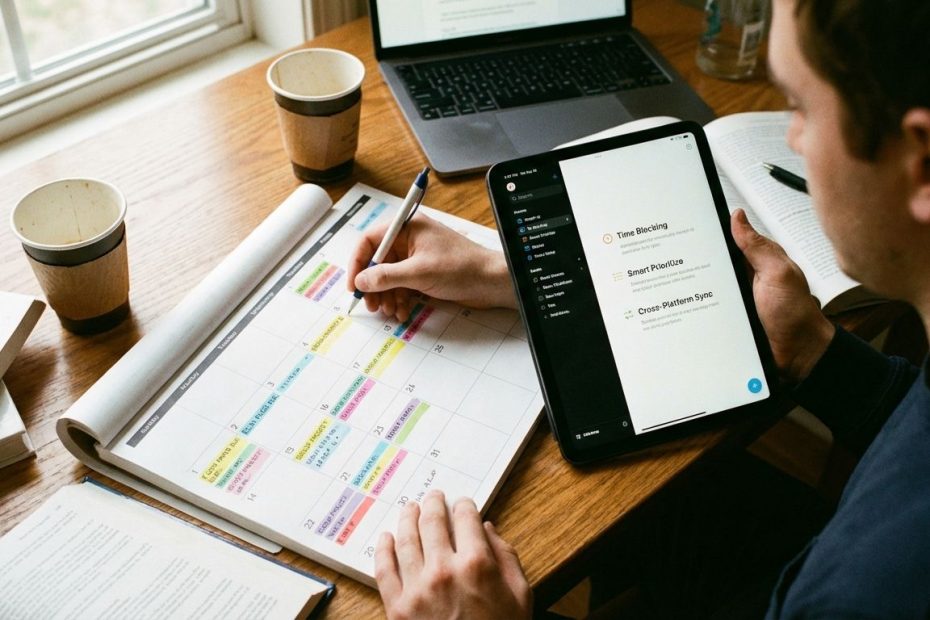
Productivity apps work for busy students when they reduce missed deadlines, cut decision fatigue, and make “what to do next” obvious in under 10 seconds. The best ones feel less like software and more like a reliable routine you can run on autopilot.
You’re going to learn which features matter, which ones create overhead, and how to choose a setup that survives real school weeks, rotating schedules, group projects, exams, and distractions. By the end, you’ll be able to audit any app in minutes, build a minimal stack that covers assignments, studying, and focus, then keep it running with a lightweight weekly reset.
What Features Should A Productivity App Have For Students (So You Actually Stick With It)?
If an app requires constant maintenance, it fails in the busy-student reality. Your best productivity app is the one that still works when you’re tired, behind, and juggling five competing priorities, because it keeps capture fast, planning simple, and reminders dependable.
Look for low-friction capture (add tasks in seconds), deadline visibility (due dates show up where you already look), and reliable reminders (notifications that you notice and act on). Students who stay consistent usually use a straightforward structure: one main “School” area, then simple separation by class, and sorting by due date instead of building a complex system that becomes another assignment to manage.
A sticky app also supports cross-device sync. If you can’t trust that the same assignments appear on your phone, laptop, and tablet, the tool becomes a “maybe list,” and “maybe lists” do not reduce stress. The same goes for search: you should be able to pull up “rubric,” “practice test,” or “lab notes” instantly without remembering where you filed them.
When evaluating features, apply a hard rule: anything that adds steps between you and taking action must earn its place. Customization looks appealing, but a busy schedule rewards default workflows, quick-add buttons, and clean daily views.
Is It Better To Use A To-Do List App Or A Calendar App For School (Or Both)?
You’ll run smoother with both, as long as you assign each tool a job and enforce the boundary. Use your calendar for fixed commitments and real deadlines: classes, exams, practices, shifts, office hours, tutoring, hard due dates. Use your to-do list for execution: the next actions that move an assignment forward.
This split eliminates a common failure pattern: putting “Write history paper” on a calendar at 7:00 PM and then watching it slide day after day. Your calendar is for time that is actually reserved. Your task list is for work that needs sequencing, breaking down, and prioritizing.
If you only choose one tool, choose a calendar, because it prevents overbooking and gives you a true picture of the week. When you add a to-do app, you get operational control: subtasks, priorities, and a short daily queue that tells you exactly what to do when you sit down to study.
The key feature to demand here is two-way visibility. Your calendar should make deadlines obvious, and your task tool should make workload obvious. When those two views align, procrastination drops because ambiguity drops.
What’s The Simplest Setup For Tracking Assignments Without Spending Hours “Optimizing”?
Keep one “School” hub, divide by class, sort by due date, and keep task names specific. That’s the setup that survives midterms, club commitments, and the weeks where sleep is not negotiable.
Use a structure that matches how your brain already scans work. If you think in classes, use class sections or labels. If you think in days, use a “This Week” view that automatically pulls anything due in the next 7 days. If the app makes you choose between 30 different views, pick one and lock it in for a month.
Task naming does more work than most features. Replace vague items with scoped actions and time estimates. “Study chemistry” stays abstract, “Chem: 20 practice problems (30 min)” tells you what to do and reduces avoidance.
Then add one maintenance habit: a 10-minute weekly reset. Confirm due dates, add new assignments from your syllabus or LMS, and clear anything stale. A system you reset weekly stays trustworthy, and a trustworthy system is the only kind that reduces stress.
Which Task Features Actually Reduce Missed Deadlines (Recurring Tasks, Reminders, Priorities, Location Alerts)?
Missed deadlines rarely come from laziness. They come from weak signaling. You either didn’t see the due date at the right moment, or you saw it and didn’t have a next action ready. The features that solve that are the ones that reduce manual steps and strengthen reminders.
Prioritize these capabilities:
- Natural-language input to capture quickly (“Bio quiz Friday 8am,” “Math worksheet due Tue”).
- Recurring rules for repeating obligations (weekly problem sets, daily review blocks, club meetings).
- Multiple reminders and channels (push plus email, or multiple scheduled notifications) so one alert doesn’t disappear into notification noise.
- Priority levels so urgent work rises without you re-sorting every day.
Reminders only work when they’re hard to ignore. If you routinely swipe notifications away, you need stronger design: repeat alerts, escalation, or a workflow where reminders trigger a quick review screen you must acknowledge.
Location reminders can help in specific student routines: “Print lab report when on campus,” “Return library book when near the library,” “Ask teacher about retake when in school building.” They’re not essential for everyone, but they remove a class of “I forgot when I was actually there” mistakes.
Also demand calendar visualization inside your task app or task integration with your calendar. When tasks and time live in separate worlds, you get the worst outcome: a full task list paired with a full calendar, with no decision support. Your tools should force tradeoffs early, not punish you later.
What Note-Taking Features Matter Most For Studying (Fast Capture, Offline Access, Linking, Templates)?
Your note system should support two student modes: capture and retrieval. Capture gets information out of your head quickly, retrieval brings it back when you need to study, write, or solve problems under time pressure.
For capture, value speed over beauty. Fast entry, simple formatting, and quick mobile access matter more than perfect layouts. You want a system that can grab a lecture takeaway, a homework hint, and a rubric requirement without forcing you into a formatting project.
For retrieval, demand search, clear organization, and offline access if your campus Wi-Fi is unreliable or you study in transit. If you write papers or do deeper learning, linking between concepts is a serious advantage. When your notes can connect “cell respiration” to “mitochondria,” “ATP,” and “practice questions,” your study sessions become targeted instead of scattered.
Templates help when they reduce decisions. A lecture template, a lab template, and a study template can standardize your work and speed up review. Templates fail when they become a customization hobby. The best apps make templates a quick start, not a commitment.
Pricing also matters for students. A strong education plan can determine whether you stick with a tool long enough for it to pay off.
Do Focus Apps Really Work, And What Features Stop You From Just Ignoring Them?
Focus apps work when they add friction to distraction and make the cost of switching obvious. Timers alone don’t change behavior if you can dismiss them without consequence. You need guardrails that match how you actually get pulled off task.
Look for features that create bypass resistance:
- “Deep focus” modes that penalize leaving the app or breaking the session.
- Scheduled sessions so focus time becomes a default event, not a decision you must remake every day.
- Cross-device control if your distractions move from phone to laptop in two clicks.
- Visible progress (streaks, session totals, weekly focus minutes) to reinforce consistency.
Gamified focus tools can be effective when the game mechanics force one choice: stay in session or break it. That structure helps when your biggest issue is impulse checking and app-hopping during study blocks.
Pair focus tools with planning tools. A blocker without a clear task list creates a different kind of frustration: you remove distractions but still don’t know what to do. When your focus app launches into a short, pre-selected task queue, your study time starts cleanly.
Are AI Scheduling And Smart Planners Worth It For Students, Or Just Extra Complexity?
AI scheduling pays off when it saves real planning minutes and reduces replanning during chaotic weeks. It fails when it requires constant supervision or produces a schedule you don’t trust. Busy students don’t need clever plans, they need usable ones.
Use a clear decision rule. If your week is stable, a standard calendar plus a task list covers the job with less overhead. If your week changes daily, shifts move, practice runs long, lab times get updated, then auto-rescheduling and time-blocking can prevent the daily “rebuild the plan” loop.
AI features that earn their place:
- Automatic time-blocking that places tasks into real calendar openings.
- Conflict handling that reschedules without deleting your intent.
- Protection for focus blocks so the schedule doesn’t get eaten by meetings and interruptions.
AI features that create trouble: vague suggestions, constant prompts to “review the plan,” and systems that change so often you stop believing them. Trust is your north star. If you don’t trust the schedule, you won’t follow it, and the tool becomes background noise.
Essential Productivity App Features For Busy Students
- Fast capture
- Clear due dates
- Strong reminders
- Weekly view
- Cross-device sync
- Searchable notes
- Focus guardrails
Build Your Stack, Then Keep It Lightweight
Choose tools that reduce decisions, not tools that multiply them. Anchor your week with a calendar for fixed commitments, run your assignments through a task list that surfaces the next actions, and keep your notes searchable so studying becomes retrieval, not re-creation. Add focus support when distraction is a repeated failure mode, and use AI planning only when it reliably removes replanning time. Implement a 10-minute weekly reset, then measure success by fewer missed deadlines and faster starts, not by how “organized” the app looks.
References
- Gradily: Best Apps For High School Students In 2026
- Reddit: To Students Who Use Todoist, How?
- TickTick: Features (Reminders, Recurring Rules, Location Reminders, Constant Reminder)
- Beyond Time: Best Free Productivity Tools For Students In 2026
- Bustle: Forest App Review (Focus And Phone Distraction)
- PCQuest: Best Productivity Apps 2026 (AI Productivity And Scheduling Coverage)
- Notion: Notion For Education (Student Eligibility And Free Education Plan Details)
- TechRadar: Best To-Do List Apps (Feature Differentiation)
- SchoolMyKids: Student Productivity Apps (Focus And Study Tools)

Michael E Weintraub is an attorney and founder of the Law Office of Michael E. Weintraub, LLC in Neptune, NJ. With over 25 years of experience in trials, estate planning, and estate administration, he is known for delivering client-focused legal solutions with integrity and precision.