
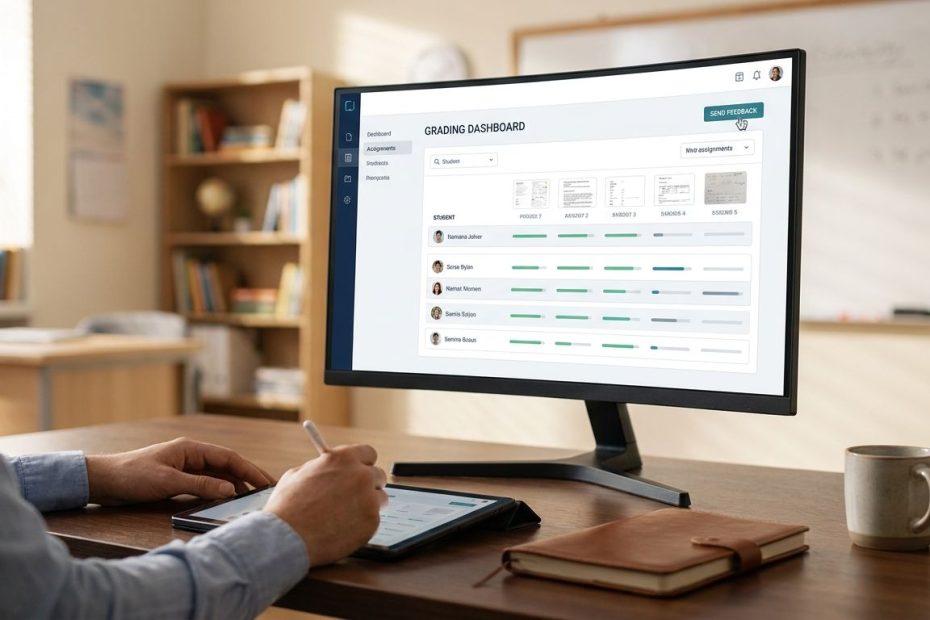
Assessment and grading software helps you reduce marking time, standardize feedback, and track student performance without drowning in spreadsheets or paper stacks. The strongest tools do more than score answers, they support rubrics, real-time checks for understanding, reporting, annotation, and faster turnaround on feedback.
If you want a cleaner grading workflow, you need software that matches how you actually teach, not just how a product demo looks. This guide walks you through seven tools teachers continue to use for daily checks, rubric-based marking, quiz reporting, and paper test scoring, so you can choose the right mix for your classroom.
1. Google Classroom
Google Classroom remains one of the most practical choices when you want assignment distribution, rubric-based grading, and feedback in the same place. If your school already runs on Google Workspace for Education, this tool gives you a familiar workflow that cuts setup friction and keeps everything tied to class rosters, submissions, and grade tracking.
Its biggest strength is simplicity. You can create or reuse rubrics for assignments, score student work against clear criteria, and return feedback without moving students across multiple platforms. That makes it useful for writing tasks, projects, presentations, and routine classroom assignments where consistency matters more than flashy features.
You should choose Google Classroom when your priority is manageable grading inside a system your students already know. It is less specialized than some advanced assessment platforms, yet that is often the advantage. You spend less time training students and less time fixing workflow issues, which matters when you are managing several classes at once.
It also fits well when you need a dependable starting point rather than a specialized grading engine. Many teachers pair it with another tool for live checks or quiz-style assessment, then keep Classroom as the central submission and feedback hub. That combination works well when you want your grades and comments stored in one main place without adding unnecessary friction.
2. Canvas SpeedGrader
Canvas SpeedGrader is built for teachers who want to move through digital submissions with more control over annotation, rubric scoring, and feedback. If your school uses Canvas as its learning management system, this tool gives you a stronger grading workflow than a basic gradebook-only setup.
You can view submissions in the grading interface, mark up supported files, apply a rubric, and leave text or media comments in one grading stream. That matters when you are reviewing essays, lab reports, slide decks, or longer assignments where students need specific feedback instead of a simple score. When you are grading a large volume of written work, keeping all of that inside one interface can save meaningful time.
You should also know the tradeoff. Teachers often value SpeedGrader for its depth, yet some report workflow frustration, extra clicks, and interface pain points during heavier grading periods. That does not make it a poor tool, it means you should adopt it for the jobs it does well: annotation-rich grading, rubric scoring, and feedback inside a full learning management system.
If you already live in Canvas, SpeedGrader is one of the stronger built-in options available. It works best when your grading process depends on comments, rubric categories, and assignment review rather than quick auto-graded checks. For many secondary and higher education teachers, that makes it a serious workhorse.
3. Gradescope
Gradescope stands out when you need to grade by question instead of by student. That small workflow difference changes everything when you are handling problem sets, exams, handwritten responses, or large classes where scoring consistency starts to slip under time pressure.
The tool is especially effective for mathematics, science, engineering, and other response-heavy subjects where you need to review similar answers across an entire class. You can group like responses, apply consistent scoring decisions, and use rubric-driven grading more efficiently. If you supervise teaching assistants or share grading responsibilities across a department, that structure helps keep scoring tighter and feedback more uniform.
You should consider Gradescope when speed and consistency matter more than classroom gamification or live engagement. It is not designed to feel playful. It is designed to move grading forward in a disciplined, repeatable way, especially when you are dealing with large sets of similar work or mixed paper and digital assessments.
Another reason teachers value it is flexibility. The platform supports varied assessment workflows and can connect with learning management system environments, which helps when you want to avoid duplicate roster work. If your current grading process feels slow, uneven, or exhausting during exam periods, this is one of the clearest upgrade paths available.
4. Formative
Formative is built for the teaching moment, not just the grading moment. If you want to see student responses as they come in, identify who is stuck, and respond before the lesson moves on, this is one of the strongest tools you can use.
Its real advantage is live visibility. You can watch responses update in real time, review auto-graded items quickly, and identify questions that need teacher scoring or extra attention. That gives you immediate instructional value, not just a report after class is over. When you need to adjust instruction during independent work, small group time, or a quick understanding check, that visibility matters.
You should use Formative when feedback speed directly affects learning. It works well for exit checks, short written responses, quick intervention moments, and blended lessons where students are working at slightly different paces. Rather than waiting until later to discover who missed the concept, you can act while the assignment is still active.
This tool is not mainly about storing long-term coursework inside a full learning management system. It is better viewed as a live assessment engine that helps you monitor understanding and score responses quickly. If your classroom depends on real-time correction, active monitoring, and rapid follow-up, Formative earns its place fast.
5. Quizizz
Quizizz has grown well beyond the “fun quiz” label. If you need a tool that keeps students engaged while still supporting grading and reporting, it gives you a practical middle ground between participation and useful assessment data.
Teachers use it for more than classroom energy. The platform supports auto-grading, manual grading in selected cases, custom grading options, and reporting workflows that help you review performance after the activity ends. That makes it useful for homework checks, review assignments, warm-ups, and standards-based practice where you want more than a participation score.
You should choose Quizizz when student motivation matters and you still need usable grading support behind the scenes. It is especially useful in classrooms where engagement drops quickly under traditional worksheet-style assessment. The design keeps students moving, and the reporting features help you identify trends without having to build everything yourself.
There is a practical buying decision here as well. Some teachers find the basic experience useful enough for routine work, while others evaluate paid features based on reporting depth, question options, and classroom needs. If you are considering it, focus less on whether it looks entertaining and more on whether its grading controls, question types, and reports fit your actual instruction model.
6. Socrative
Socrative remains one of the cleanest tools for quick checks, exit tickets, and fast classroom assessment. When you need a lightweight system that lets you ask questions, collect answers, and review results without turning the activity into a full production, it does the job well.
The strength here is efficiency. You can run quizzes, collect immediate responses, and generate reports that show how the class performed. If you want item-level data, quick pacing decisions, or a simple way to document understanding before students leave the room, Socrative gives you that with less clutter than many larger platforms.
You should consider Socrative when your classroom depends on frequent low-stakes assessment rather than elaborate assignment management. It is useful for checking readiness, measuring retention, or capturing a fast pulse on a lesson. Teachers who prefer simple systems often keep coming back to it because it does not demand a long setup every time you want data.
You do need to watch plan limits, especially if you want larger room sizes, more stored reports, or broader use across multiple classes. That matters for real adoption. A tool can look strong in a quick trial and then become restrictive once your usage expands. If your needs are centered on quick-response assessment, though, Socrative stays one of the more practical options available.
7. ZipGrade
ZipGrade solves a very specific problem, and it solves it well: you want to keep paper multiple-choice tests but eliminate slow manual grading. If you still use printed quizzes, benchmark checks, or bubble-sheet style assessments, this tool can save serious time without requiring dedicated scanning hardware.
You print answer sheets, scan them with a mobile device, and generate scores quickly. That makes it valuable in schools where device access is uneven, internet reliability is inconsistent, or paper testing still fits the classroom routine better than fully digital exams. It also works well when you need fast turnaround but do not want to invest in large-scale scanning equipment.
You should not think of ZipGrade as a full assessment platform. It is not trying to replace your learning management system, your rubric tool, or your formative assessment software. It is a grading accelerator for paper-based objective tests, and that narrow focus is exactly why many teachers find it useful.
If your workflow still includes printed assessments, this can remove one of the most tedious parts of the job. Many teachers use it alongside a gradebook or classroom platform, scanning the test quickly and then recording or transferring results where they need them. If paper is still part of your teaching reality, ZipGrade remains one of the smartest specialized tools you can add.
How Do You Choose The Right Assessment And Grading Software?
You should start with your grading bottleneck, not the most popular brand. If your main pain point is written feedback, choose a rubric and annotation tool. If your issue is checking understanding during class, choose a live-response platform. If paper tests are slowing you down, choose a scanner-based grader. The right tool is the one that removes the task you repeat most often.
You also need to match the tool to the type of assessment you assign most. Essays, projects, and open-ended work call for strong feedback and rubric support. Quick checks need speed, auto-grading, and reporting. Departmental exams and large classes need consistency and scale. A mismatch here creates extra work, even when the software itself is well designed.
Integration matters more than many teachers expect. If a platform does not fit your existing class workflow, it creates duplicate roster management, scattered grades, and student confusion. You want the software to support your current systems, not force a separate process for every assignment type.
The best setup is often a combination, not a single tool. Many teachers keep one primary grading hub, one fast formative assessment tool, and one specialized option for paper or large-scale test grading. That gives you flexibility without turning your classroom into a patchwork of disconnected apps.
Which Tool Is Best For Different Teaching Needs?
If you need one central classroom workflow, Google Classroom is one of the strongest practical choices. If your school uses Canvas and you grade large amounts of submitted work, Canvas SpeedGrader gives you stronger annotation and rubric support inside that environment. Those are the tools to prioritize when assignment management and feedback are your daily focus.
If you grade exams, problem sets, or handwritten responses at scale, Gradescope gives you the strongest specialized workflow. If you need real-time visibility into student understanding during class, Formative is better aligned to that job. These tools solve very different problems, which is why direct comparisons often miss the real issue.
If student engagement is a major factor in your classroom, Quizizz can carry more grading weight than many people assume. If you want fast, clean checks for understanding without a lot of setup, Socrative remains a dependable option. If your classroom still uses paper multiple-choice assessments, ZipGrade is the fastest fix for manual grading overload.
You do not need the “best overall” platform as much as you need the best fit for your dominant workflow. Once you define that clearly, the choice becomes easier and the software starts saving time instead of adding decisions.
Best Assessment Software for Specific Teaching Needs
- Best all-around classroom workflow: Google Classroom
- Best for rubric grading in a learning management system: Canvas SpeedGrader
- Best for exams and problem sets: Gradescope
- Best for real-time response monitoring: Formative
- Best for engaging quiz-based checks: Quizizz
- Best for exit tickets and quick reports: Socrative
- Best for paper multiple-choice scanning: ZipGrade
Pick The Tool That Gives You Time Back
The best assessment and grading software is the one that removes repeat friction from your teaching day and gives students faster, clearer feedback. Google Classroom and Canvas SpeedGrader work well when assignment management and rubric scoring drive your workflow. Gradescope stands out for large-scale grading consistency, Formative for live visibility, Quizizz and Socrative for quick checks, and ZipGrade for fast paper scoring. When you choose based on your actual grading pattern instead of trend-driven feature lists, you build a workflow that is easier to manage and easier for students to follow. If you want to keep sharpening your classroom systems and find more practical teaching guides, visit the social profile below and explore more posts built for real teacher workflows.
References:
- Google Classroom Rubric Support
- Canvas SpeedGrader Overview
- Gradescope Product Information
- Formative Scoring And Response Review
- Quizizz Grading, Reports, And Data
- Socrative Product Information
- Socrative Assessment And Evaluation
- Socrative Frequently Asked Questions
- ZipGrade Product Information
- ZipGrade App Listing
- Canvas Community Discussion
- Quizizz Teacher Discussion

Michael E Weintraub is an attorney and founder of the Law Office of Michael E. Weintraub, LLC in Neptune, NJ. With over 25 years of experience in trials, estate planning, and estate administration, he is known for delivering client-focused legal solutions with integrity and precision.